
Tools From Our Experts: Video Tips for Your Next Virtual Meeting
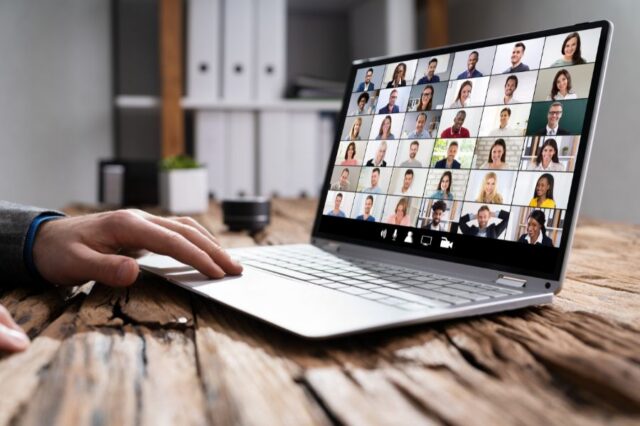
We’re dedicated to serving our clients, whether we’re in the office, in the field – or, like we are now, working from home.
As we and many others in our industry transitioned to virtual workspaces, we developed best practices and tools to keep connected to you and continue to bring unique solutions to the (virtual) table.
Now, we’re sharing what we’ve learned so far with you, in hopes it will help make this transition a little easier.
First up, we’re sharing our video team’s tips for your next virtual meeting or presentation.
Whether you’re using a phone, a laptop, or your desktop webcam, a polished virtual experience is dependent on your environment, your camera and equipment set-up and the image you project.
Establish a Professional Environment
If you are comfortable using a laptop, that might be your best bet for a virtual experience. Its mobility will allow you to choose the best environment, instead of being stuck wherever your desktop sits.
Setting: The most desirable setting may not be in your office – it may be in your living room, your favorite nook or even your dining room. Above all else, the setting needs to be clean and well-lit with minimal foot traffic and little to no noise.
Lighting: Windows are great behind a camera. But they’re not great behind a person; they can actually make it harder for others to see you. Adding a light beside the camera will sometimes fix that, but it doesn’t always work. In such cases, moving to a different location is a good idea.
Timing: Be sure to consider your meeting time. Lighting may change based on the time of day; activity level in an area might ebb and flow as well, based on daily household activities.
If you do have to use a desktop webcam, make sure the area around it is clean. Also, test your lighting and add or subtract lights if need be.
Set Up Camera and Equipment
Once you’re done with the environment, you’ll need to ready your camera and equipment.
Lens: Your lens should sit at or just above eye-level. Large, wide books, photo albums and printer paper are great options to help elevate your camera while also keeping your expensive computer stable and safe.
Person: You should sit about an arm’s length away from the camera. Be sure to tilt the camera down to minimize space above your head; A good rule of thumb is for it to capture you from the mid-chest to just above your head.
Connection: Try to use an ethernet cable to connect directly to your Internet. WiFi does not always provide the best video, and it’s less reliable in general. Another tip for video quality: Make sure that your web conferencing software’s quality settings are the highest available.
Knock It Out of the Park
When it comes time to start your virtual meeting or presentation, remember a few tips.
- Look straight into the lens. It can look like you’re not paying attention if your gaze is elsewhere.
- Sit up straight and speak clearly. It’ll give you confidence and ensure your message gets across.
- Show more energy than usual. It doesn’t translate as well over video.
Related Insights
By connecting growth strategy, financial discipline and enterprise capabilities more closely, and strengthening our legal and governance leadership, we are positioning the firm to invest with purpose, deliver greater value for clients and create lasting value for generations of employee owners.

RS&H has received the Corporate Award of Excellence at the Northwest Chapter of the American Association of Airport Executives (NWAAAE) 2026 Annual Conference in Missoula, Montana.

How workplace design strategy supports talent attraction and retention, employee engagement, workplace modernization, and long-term business success through flexible, collaborative workspaces.
Explore how mission assurance, strategic investment and workforce capacity can help military installations reduce risk and strengthen readiness.